
Features
Features for a calmer mobile grooming day.
Plan a better route, know each dog, keep clients informed, get paid, and bring good clients back without juggling texts, calendars, maps, and spreadsheets.
- Plan the route before the van leaves
- Clients request; you confirm
- Email and consent-based SMS reminders

A clearer day
See the route, dog, and invoice at a glance.
OpenDog brings the details that matter most closer to the appointment, so the next stop feels less rushed.
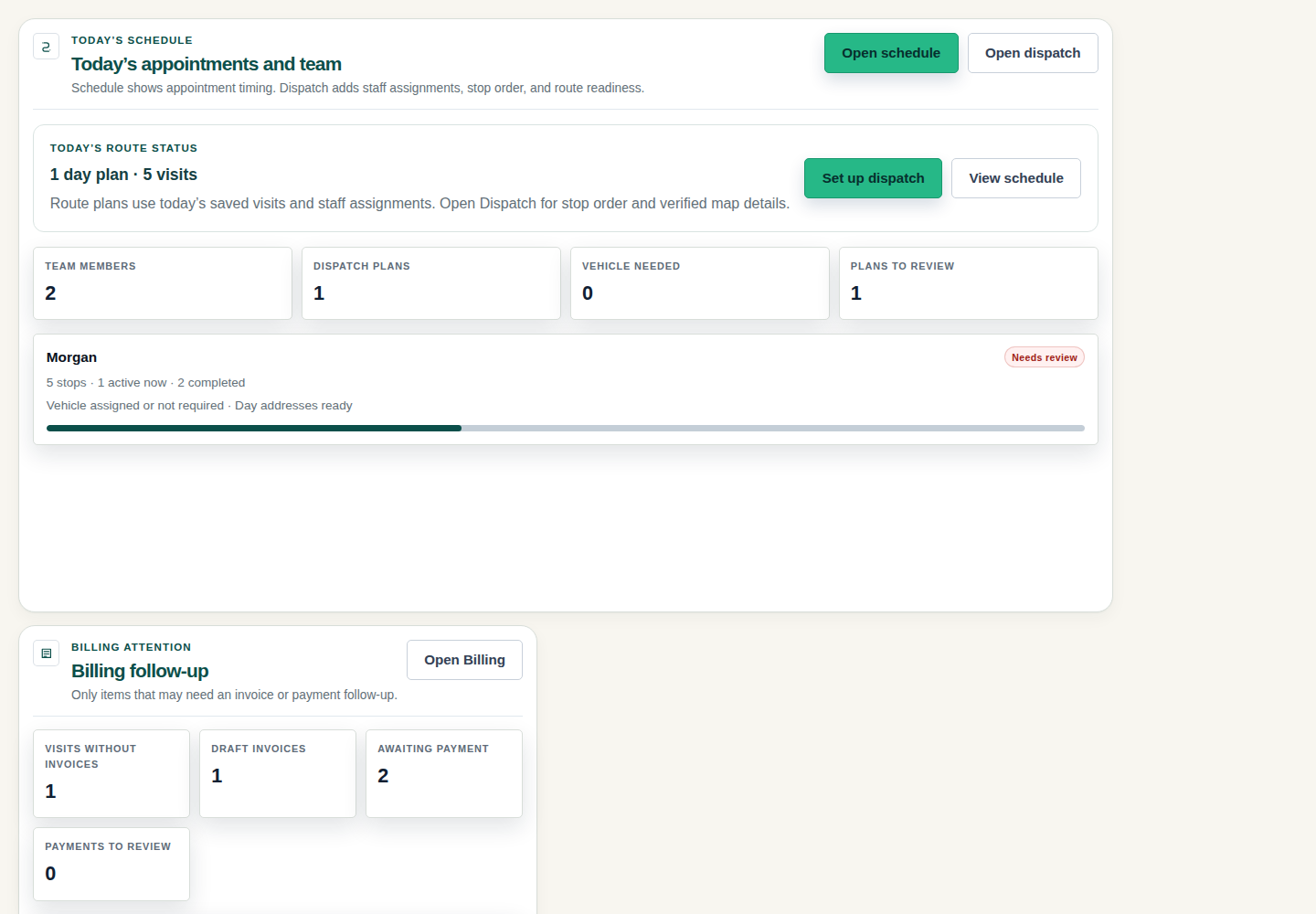
Start the day with fewer surprises
See today's appointments, route readiness, and unpaid balances before the van is already moving.
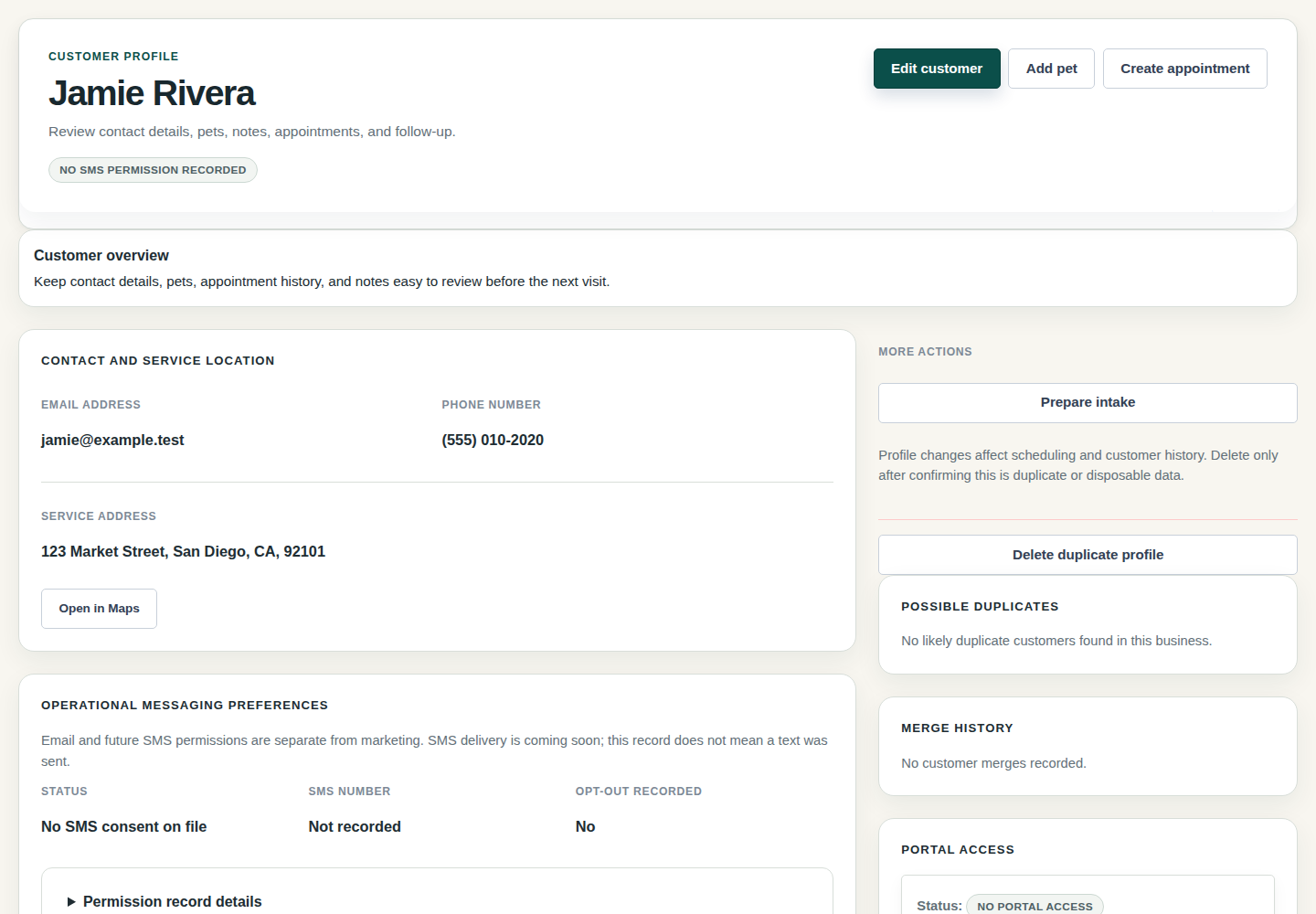
Bring the right notes to the next dog
Keep the service address, pet notes, client details, and appointment history close before you arrive.
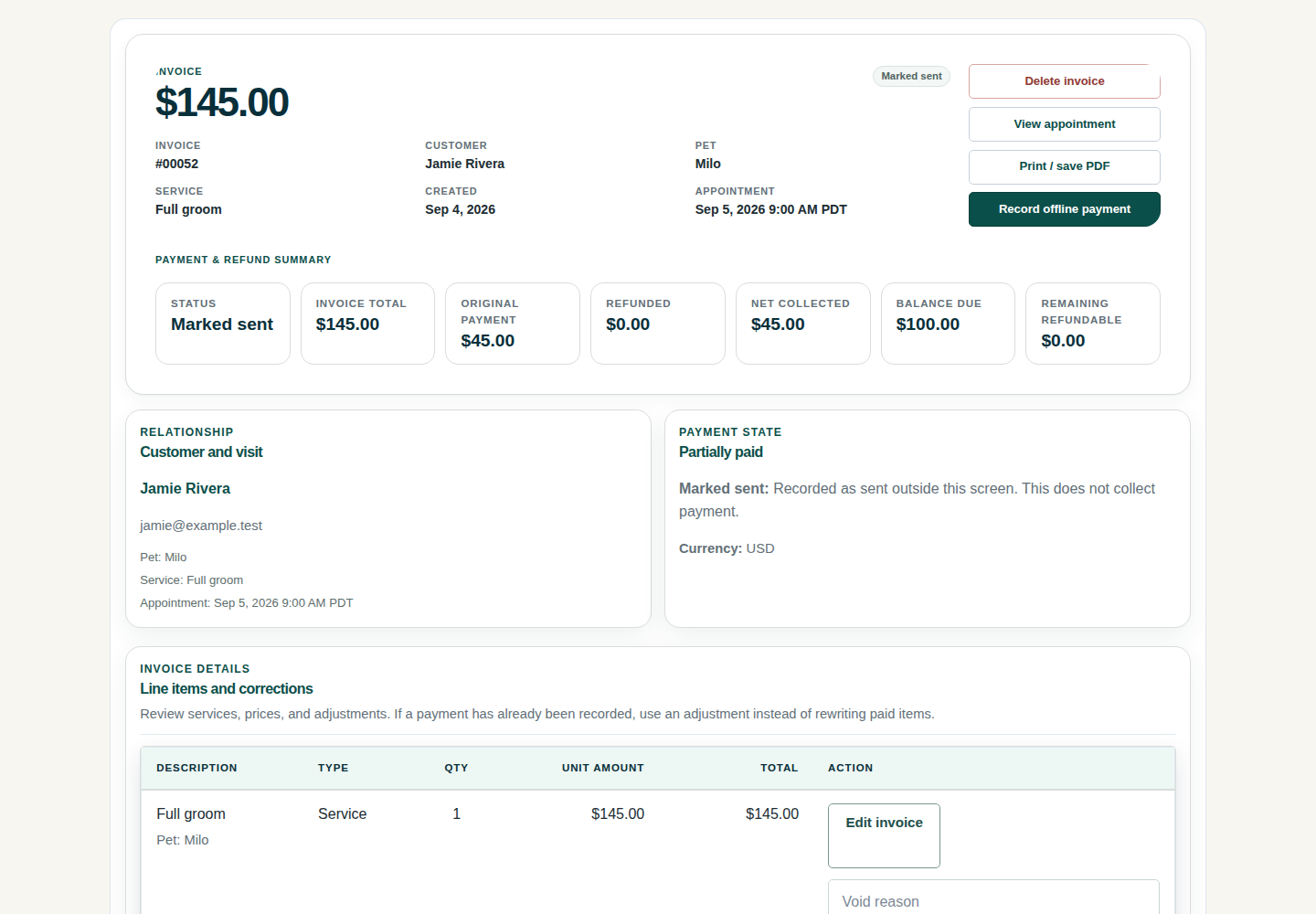
Know the money before you leave
See invoice totals, receipts, balances, and payment progress without searching through a separate app.
Plan a route that protects your day.
See service areas, drive time, customer windows, appointment length, buffers, route order, groomers, and vans before you confirm the schedule. You can reorder and recalculate; confirmed appointments change only when you choose.
Plan Better RoutesLet clients ask without taking over the calendar.
Customers can send the pet, service, timing, address, and contact details you need. You decide whether the route, service area, schedule, and pet needs make sense before anything is confirmed.
See Booking RequestsKnow the dog before you knock.
Keep client details, pet notes, photos, grooming history, preferences, behavior notes, health cautions, and household context close to the visit so the next groom does not depend on memory.
See Pet RecordsGet paid without another chase list.
Create invoices, track balances and receipts, take secure Stripe card payments after setup, use deposits when enabled, and keep rebooking close to the finished groom. Customers approve saved-card charges.
See Invoices & PaymentsKeep the next visit moving.
Transactional email, consent-based SMS reminders and on-my-way updates, reports, exports, setup help, and AI suggestions with your setup help you follow up with the right clients.
See Client EmailsDaily tools
Choose the next part of your day to make easier.
Route planning
Protect drive time, customer windows, service areas, groomer assignments, vans, and route order.
Plan Better RoutesBooking requests
Let clients ask for grooming while you decide whether the route, timing, service, and pet details fit.
See Booking RequestsClient and pet notes
Keep contact details, pet history, preferences, and visit notes close to each appointment.
See Pet RecordsInvoices and payments
Track invoices, balances, receipts, deposits when enabled, and secure Stripe card payments.
See PaymentsClient emails
Send transactional confirmations and reminders by email or consent-based SMS, including on-my-way updates where the workflow allows it.
See Client EmailsReports and exports
See appointments, clients, pets, services, invoices, payment records, and rebooking needs.
See ReportsFAQ
Common questions from grooming businesses.
Where should I start?
Start with the parts that protect tomorrow: route planning, booking requests, pet notes, invoices, email reminders, and rebooking.
Can clients book without my approval?
No. Clients send requests. You confirm appointments only after checking route fit, service area, timing, availability, and pet needs.
Will OpenDog move appointments on its own?
No. OpenDog can help estimate drive time, reorder stops, and recalculate the day, but confirmed appointments change only when you decide.
What reminders are live?
Transactional email and consent-based SMS reminders and on-my-way updates are available when configured.
How do payments, deposits, and saved cards work?
OpenDog supports invoices, balances, receipts, secure Stripe card payments when payment setup is ready, and deposits when enabled. Customers approve saved-card charges.
Do reports replace accounting software?
No. Reports and CSV exports help you understand appointments, clients, pets, services, invoices, payments, and rebooking. They are not tax, payout, settlement, or accounting-sync records.
Can OpenDog help with setup or imports?
Yes. You can use setup help, CSV import preview, and AI suggestions when enabled. What moves depends on the file you bring in, and you check details before relying on them.
Make your next grooming day easier to run.
Start a trial and see how OpenDog fits your route, dogs, clients, invoices, reminders, reports, and rebooking before changing your daily routine.